Accept a Pre-Payment for a Client
To accept a pre-payment for a visit that hasn’t yet been completed, complete the following steps
-
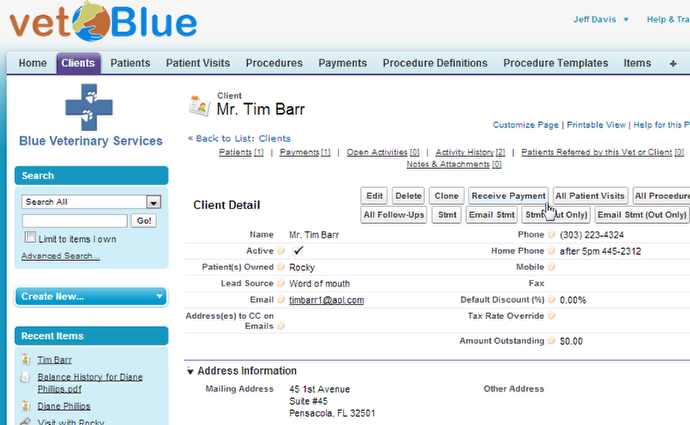
Navigate to the Client detail page and click the Receive Payment button
-
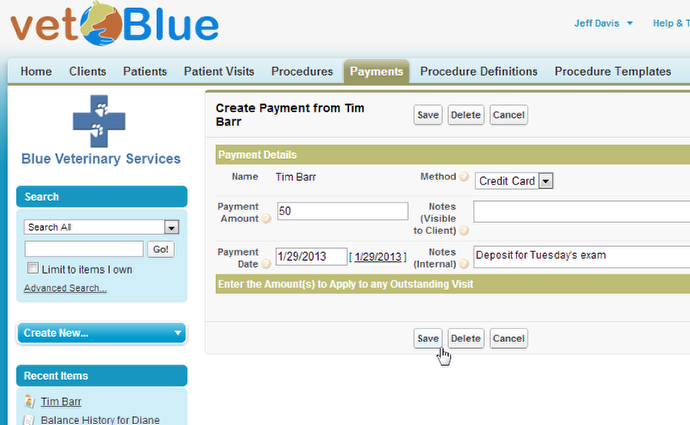
On the Create Payment Page, enter the details of the payment and click Save
-
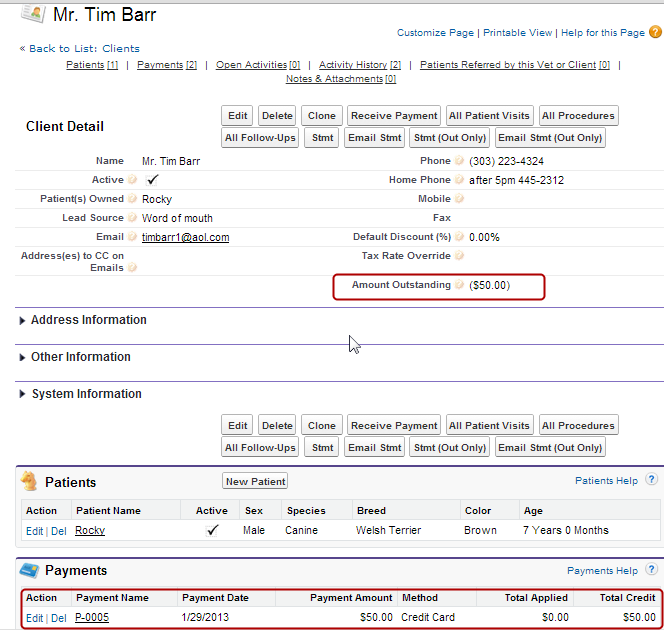
The Client detail page will appear
The Amount Outstanding may not update immediately, but a simple refresh will display the correct amount. On the Payment related list is the payment, click on that payment to then apply it to a visit