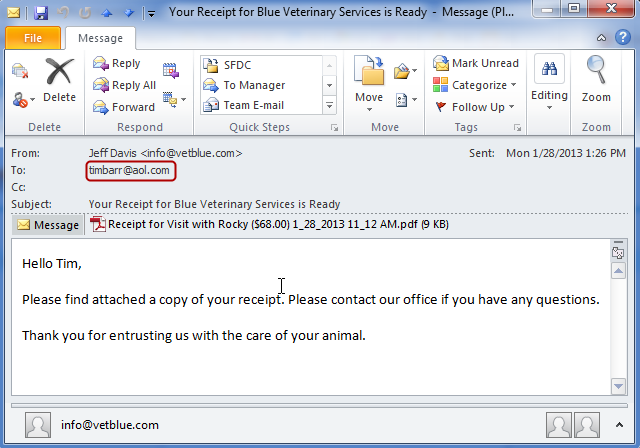
Email a Receipt
To email a receipt of a single visit, complete the following steps
-
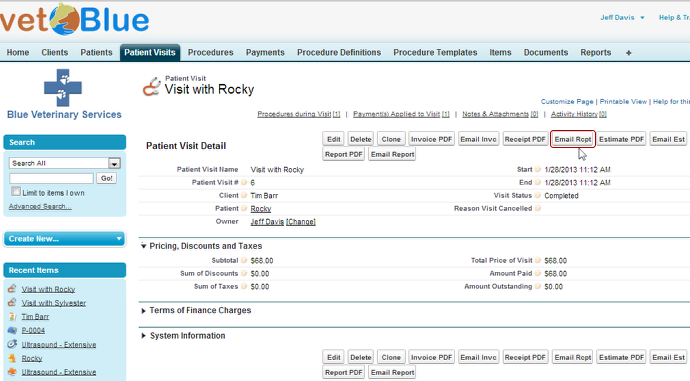
Navigate to the Patient detail page and click Email Rcpt
-
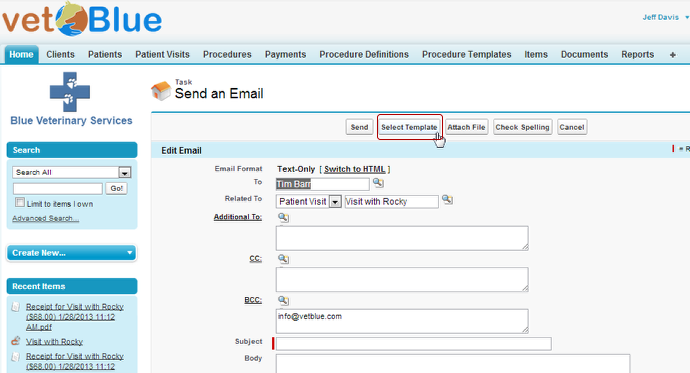
Click Select Template
-
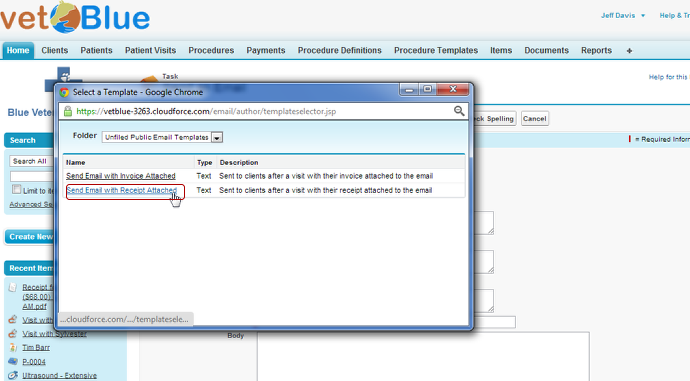
Click on the Send Email with Receipt Attached Email Template
-
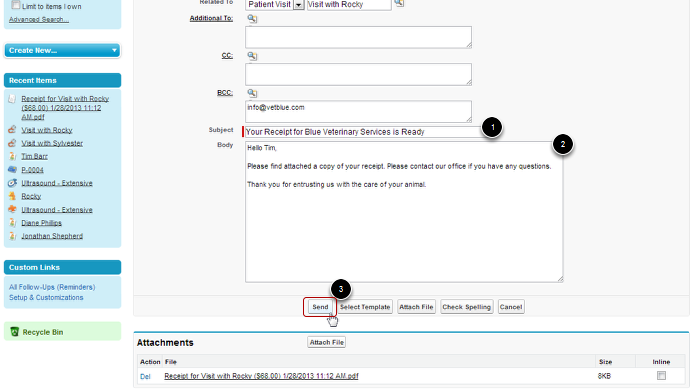
Make any changes to the populated Subject and Body and Click Send
-
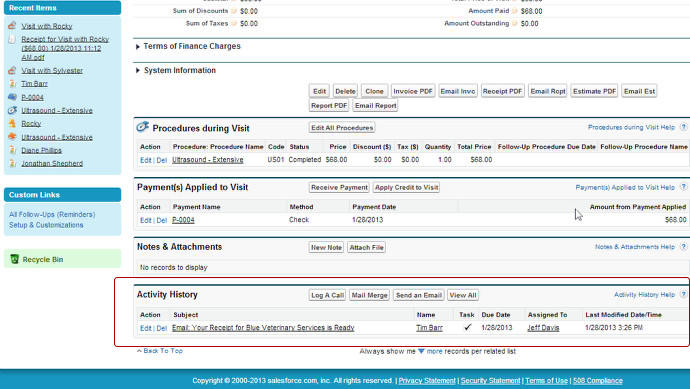
Under the Activity History for the Patient Visit and the Client, a record of the email will be created
-
An Email will have been sent to the client and BCCed to your address