Add / Remove / Edit Items on a Visit
To make changes to items of a patient visit, complete the following steps
-
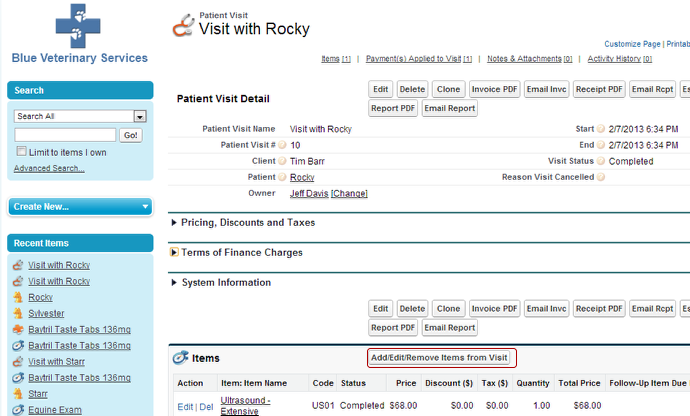
Navigate to the Patient Visit detail page and click on Add/Edit/Remove Items from Visit
-
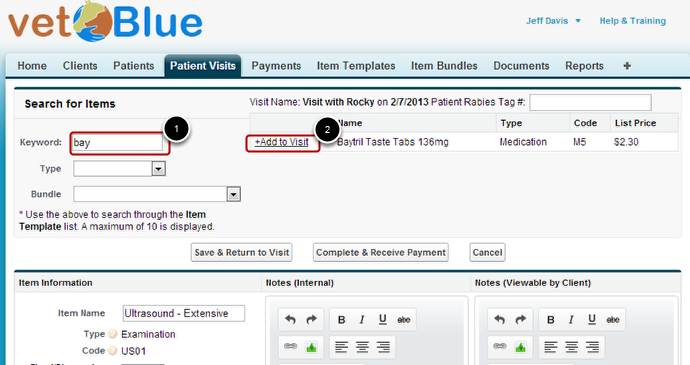
Search for an Item Template and then click +Add to Visit on an Item
-
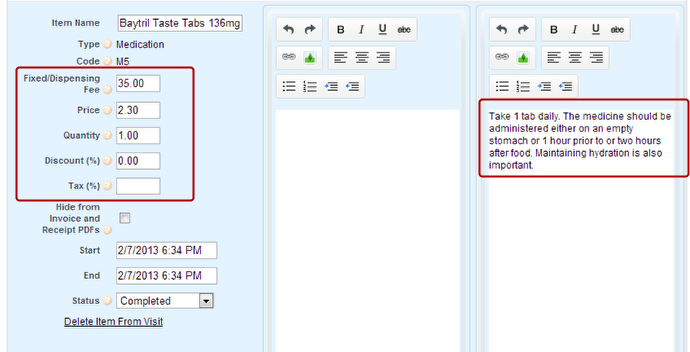
The Item will be created. You can edit the information such as pricing or notes.
-
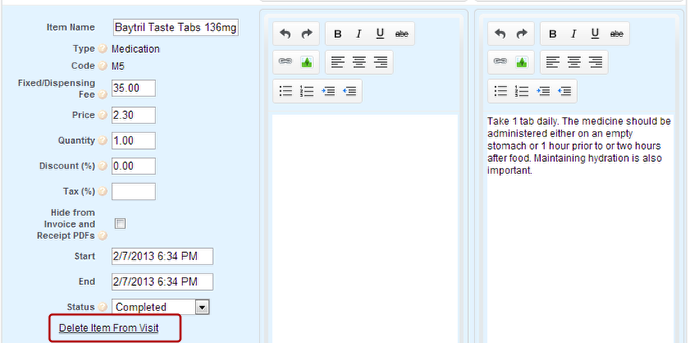
To Delete the Item, click on "Delete Item from Visit"