Edit Outgoing Email Settings
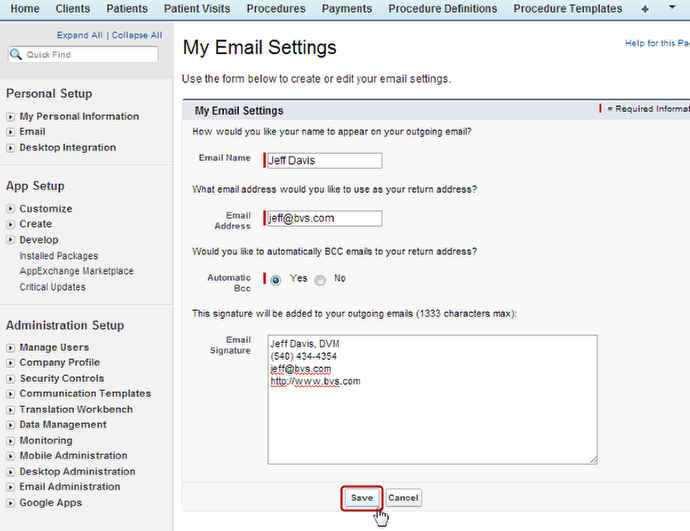
With VetBlue you can send invoices, receipts and messages by email directly through the system. Follow these steps to access the Email Settings screen where you can change your outgoing email settings such as return address, auto-BCC and your signature.
-
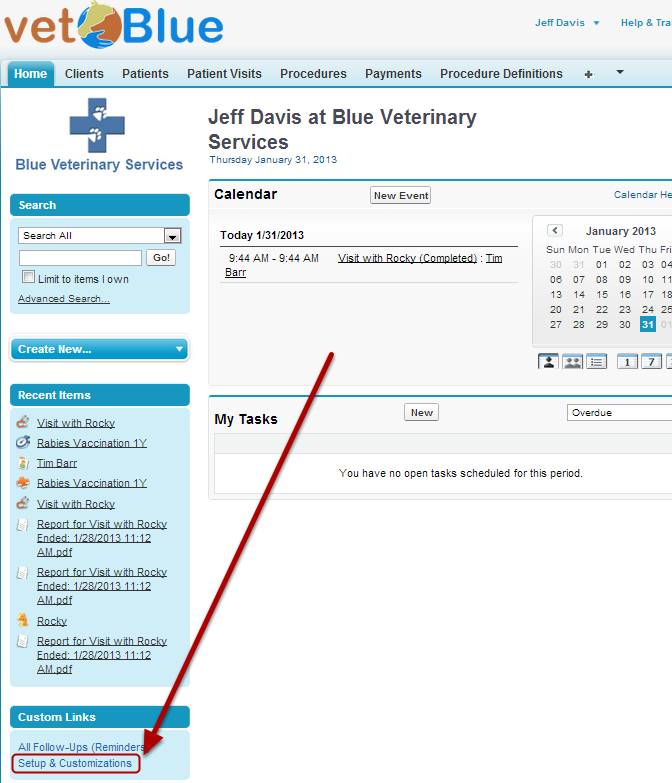
Click Setup & Customizations from the left Sidebar
-
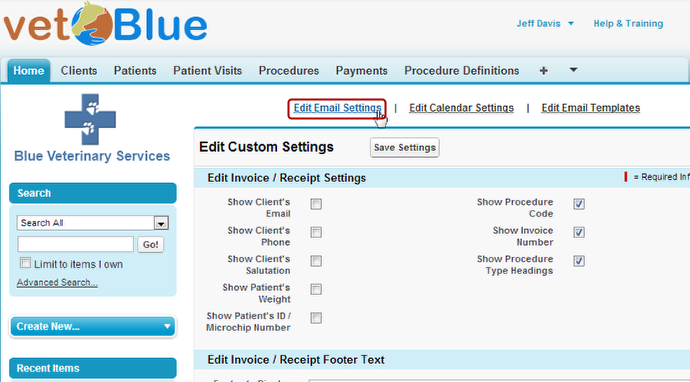
Click Edit Email Settings from the top list of links
-
Edit the Outbound Email Settings and Click Save