Send an Email to All / Many Clients
If you ever want to send a mass email to all clients or a subsection of clients you can do so using the Mass Email Clients functionality built into VetBlue.
Please use this feature carefully, VetBlue suggests sending to a single sample client using this process first to be sure the email appears as you’d like it to.
-
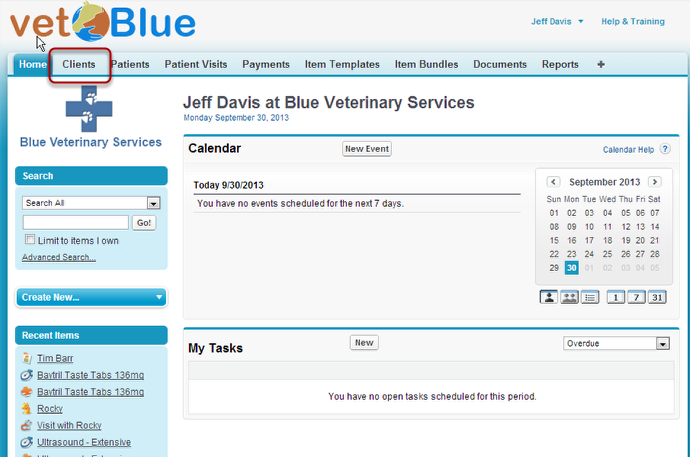
Click on the Client tab
-
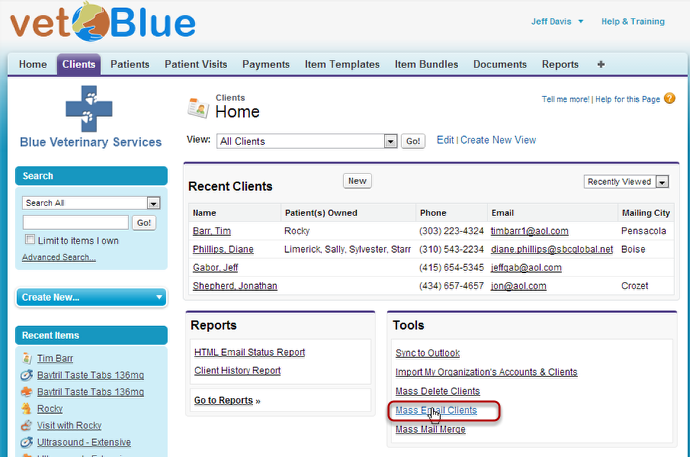
Click the Mass Email Clients link at the Bottom Right
-
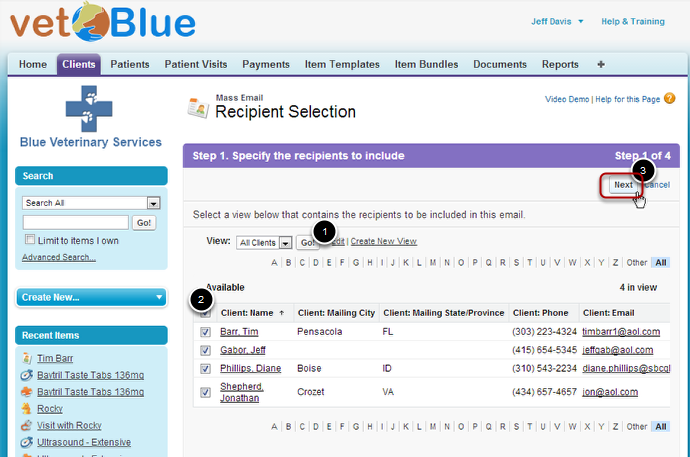
Select the Clients you want to send to
Create a View that pulls in the clients you want to email. You can use the All Clients view, but if you want a subset you’ll need to create a view with a filter. Click Go to pull all the clients in a view you select.
A list of clients will appear. Select the ones you want to mass email. By default all are selected. Click Next
-
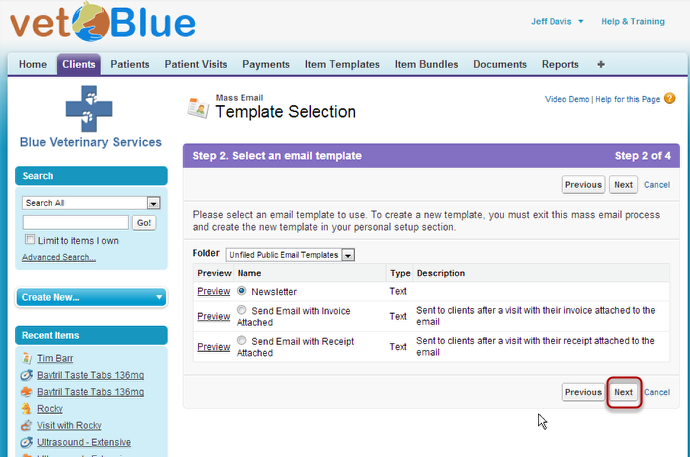
Select the email template you want to use, Click Next
-
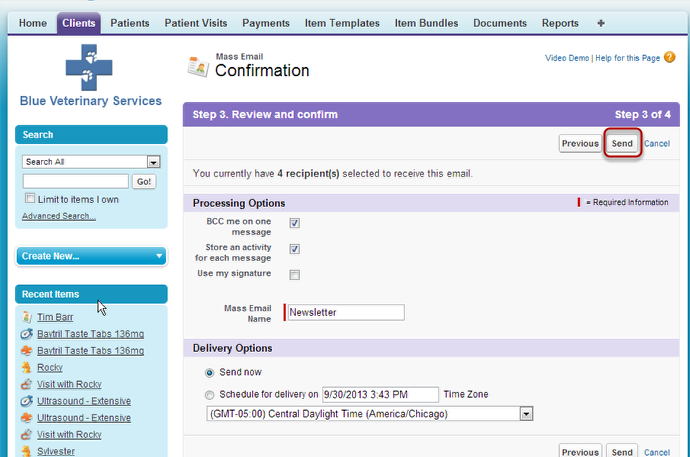
Click Send when you’ve decided on the other options