Create a Patient Visit of Historical Records
To create a patient visit with historical medical records, complete the following steps
-
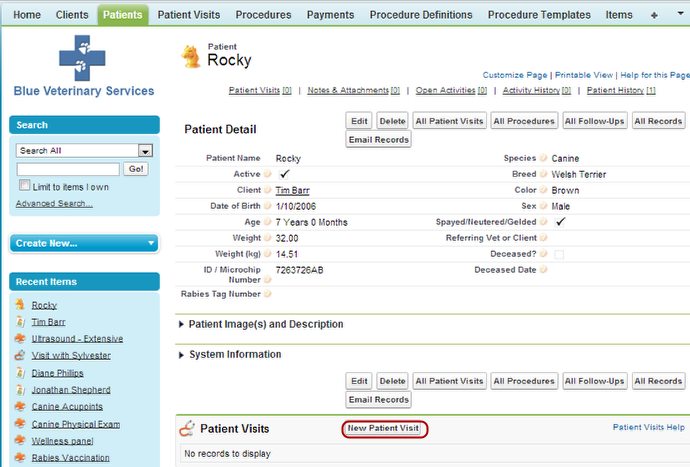
From the Patient detail page, click on New Patient Visit
Note: It is always a good idea to navigate first to the patient and click on New Patient Visit from that screen. Alternatively, you could click on Create New… Patient Visit from the sidebar.
-
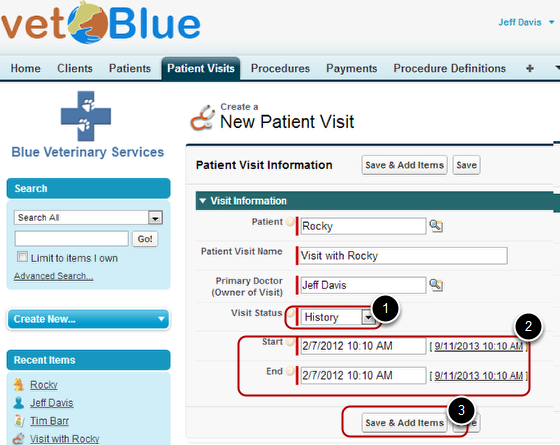
Set the Visit Status to "History" end the date the procedure was done then click Save & Add Procedures
-
The Edit All Procedures page appears
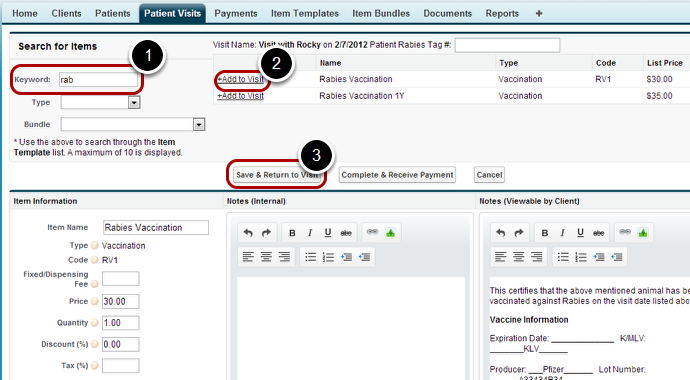
From this page you search through your item template list (aka price list) and add the historical items you performed on the date of the patient visit. In this example we enter some letters (“rab”) and the Rabies item templates appears. We then click +Add to Visit to add this item to this visit. Then Click Save & Return to Visit
-
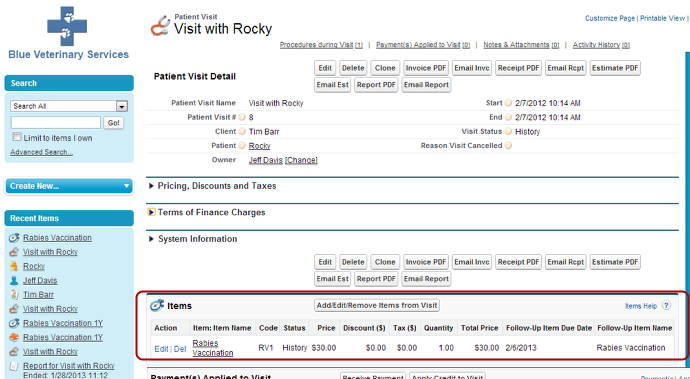
The Patient Visit detail page appears
Note the list of Items shows that a Rabies Vaccination was completed on 2/7/2012 and a follow-up is due 2/6/2013